
mediasimpel.
Right in the browser

One button that takes over the retyping

A browser extension sits next to the address bar and works along on the site you are already on. No extra program to open, no switching back and forth between tabs.

From €499 excl. VAT · price shown before you order

  • Works in Chrome and Edge; Firefox and Safari can be added
  • Popup under the icon, side panel in the page or both
  • Own settings page for the user
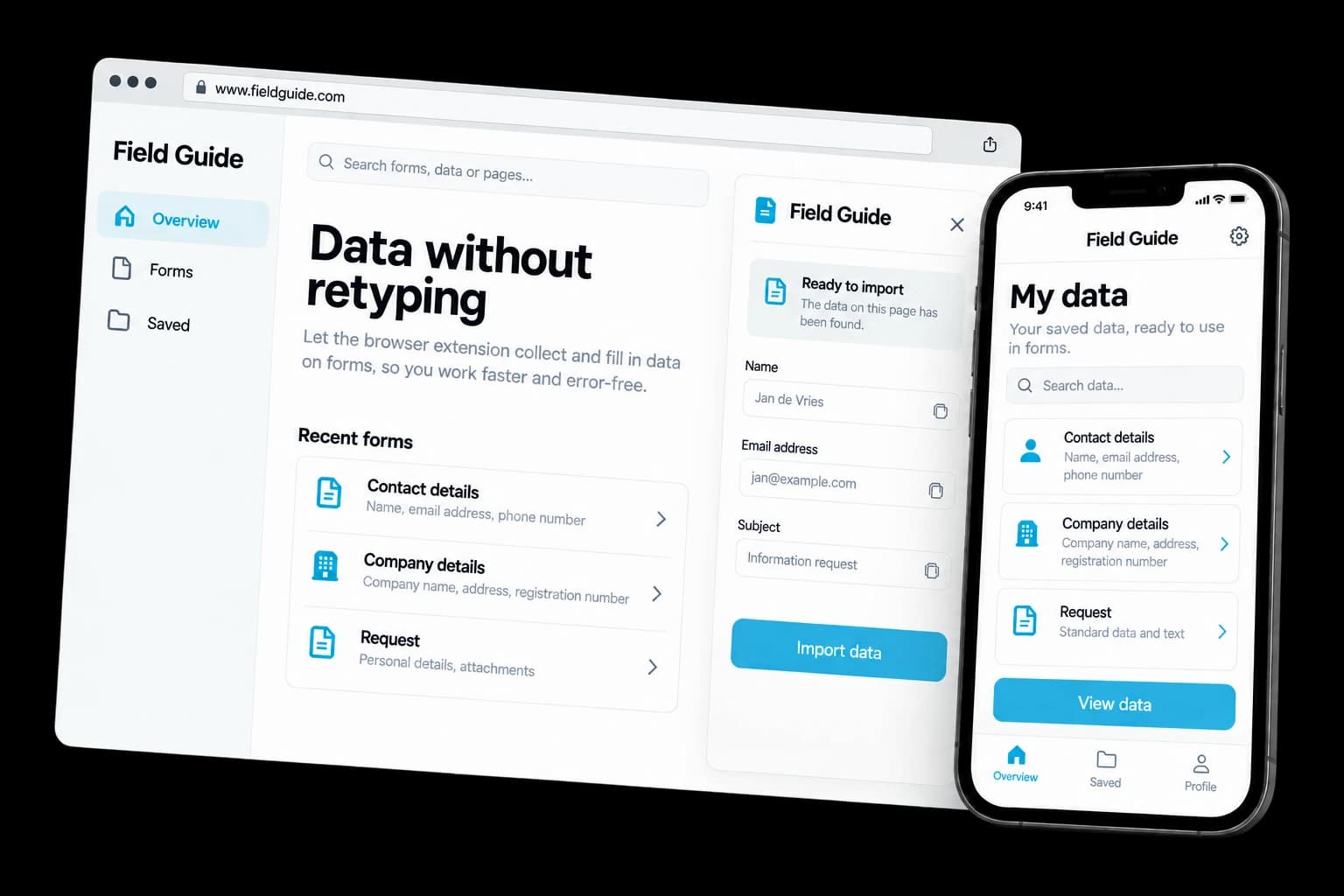
Example of browser extension (Chrome & Edge) on desktop and phone

Fictional design example

  • Works where your work is

    The extension comes to the page, instead of your people having to go to another system. That saves clicks and mistakes every day.

  • As few permissions as possible

    Every permission an extension requests is a reason for the user to hesitate and for Google to review longer. We only ask for what your feature really needs.

  • From build to Web Store

    We deliver more than the extension itself: we also handle the submission, with copy, screenshots and the required explanation per permission.

See and try for yourself

See what your customers will see.

A working example you open and click through yourself. We build your version in your own style.

Example of browser extension (chrome & edge): Gegevens verzamelen
Gegevens verzamelenGegevens verzamelen
  1. Works where your work is

    The extension comes to the page, instead of your people having to go to another system. That saves clicks and mistakes every day.

  2. As few permissions as possible

    Every permission an extension requests is a reason for the user to hesitate and for Google to review longer. We only ask for what your feature really needs.

  3. From build to Web Store

    We deliver more than the extension itself: we also handle the submission, with copy, screenshots and the required explanation per permission.

Design example with fictional content. The components you choose determine the final result.

Examples of browser extension (chrome & edge)

Browse possible designs and applications. Open an image to take a closer look.

Concept design

Informatie naast je werk

Concept design

Veranderingen signaleren

3D illustration for Browser extension (Chrome & Edge)
THE SERVICE IN PRACTICE

What can this service do for you?

Retyping eats more time than difficult work does. Copying data from your own system into a supplier's portal. Entering a business you found online as a lead by hand.

Looking up that same tab again to find a customer number. An extension takes over exactly that action, in the place where it happens. We build it in your house style, request only the permissions that are really needed, and handle publication in the Chrome Web Store if you want.

Included

Everything taken care of.

  • Works in Chrome and Edge; Firefox and Safari can be added
  • Popup under the icon, side panel in the page or both
  • Own settings page for the user
  • Data stored locally, in an account or sent straight to your system
  • Integration with your CRM, ERP or own API
  • Publication in the Chrome Web Store or internal rollout only
  • Central rollout through Google Workspace, without employees installing anything
  • Maintenance so it keeps working with new Chrome versions
What you can do with it

Four things an extension does well

An extension is at its best when it takes over one action you do every day. If you recognise your own work here, that is usually a good starting point.

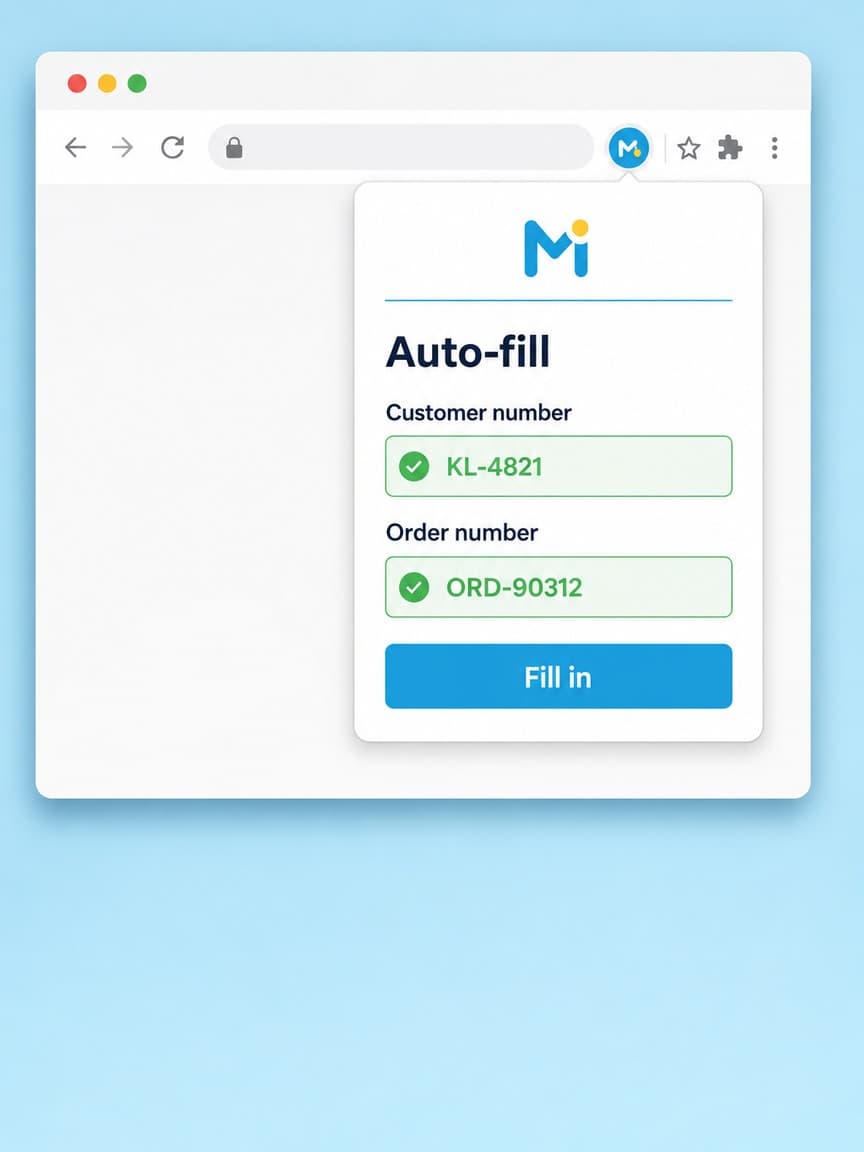
Extension pop-up that fills in a form automatically with a customer number and order number

Fill in forms automatically

Now: retyping from another screen

Your employee is on a supplier's ordering portal. One click and the customer number, order number and address details are filled in correctly. No typos in a string of digits that nobody checks.

Configure this one
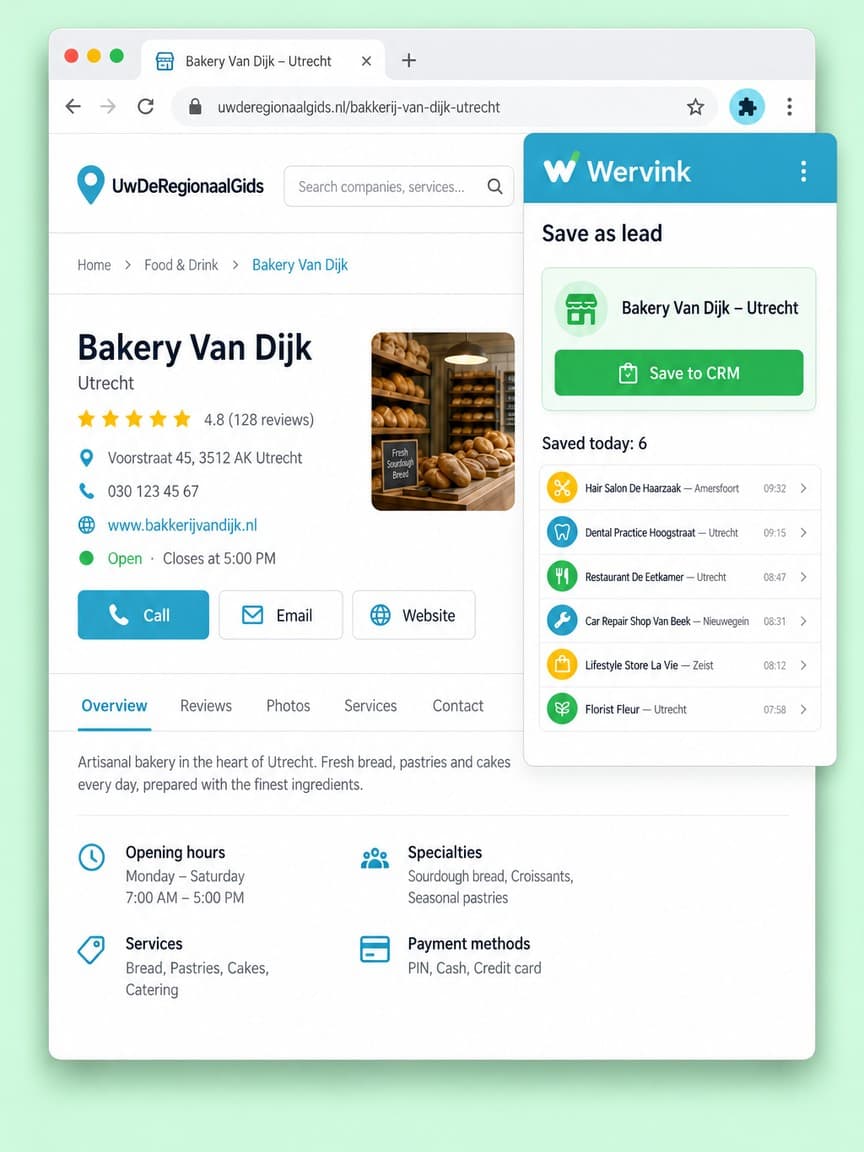
Extension that saves a company from a business directory as a lead in the CRM

Collect details as a lead

Now: copying and pasting into a list

You find an interesting company online. Instead of copying the name, town and contact details into Excel, you save them as a lead in your own CRM with one click.

Configure this one
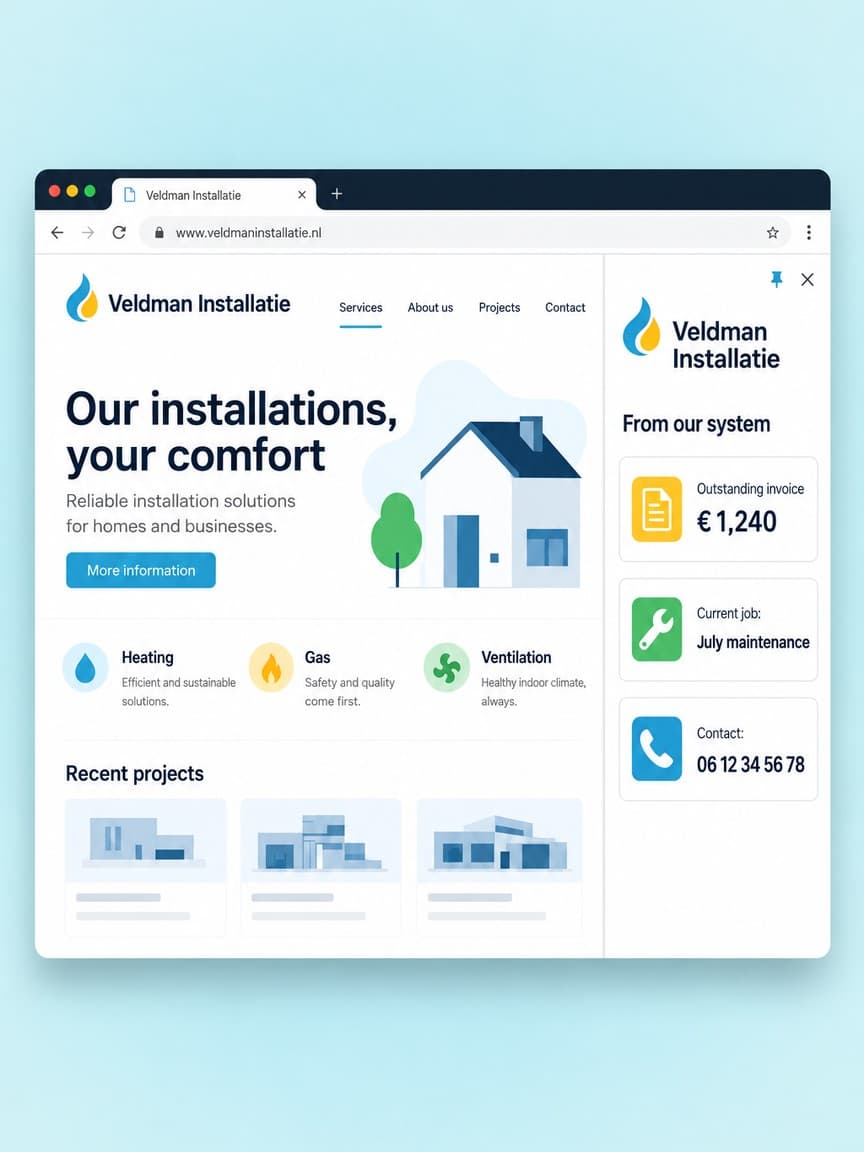
Side panel of an extension showing an outstanding invoice, the current job and contact details

Your system next to the page

Now: hunting for the right tab

While someone is on the phone or working in a portal, your own information sits right beside it: outstanding invoices, the current job, the right phone number. No switching.

Configure this one
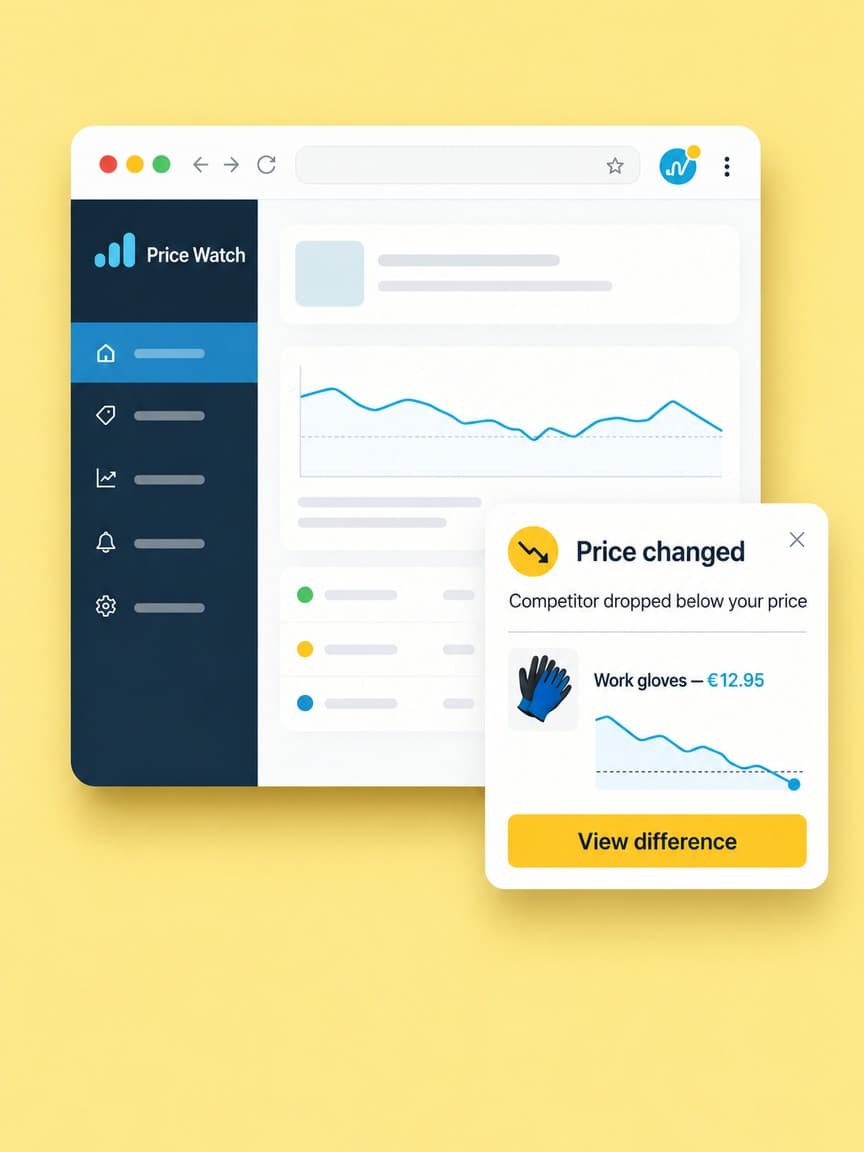
Notification from an extension that a competitor has dropped below your price

Watch and warn

Now: checking by hand, or noticing too late

The extension keeps an eye on pages and alerts you as soon as something changes that costs money: a competitor dropping below your price, a rate that changes, stock running out.

Configure this one

Something else in mind? Describe it in the configurator and we will cost it. If we are already building an application for you, the extension can be added to it.

MediaSimpel Platform

Your project and our team. Always close by.

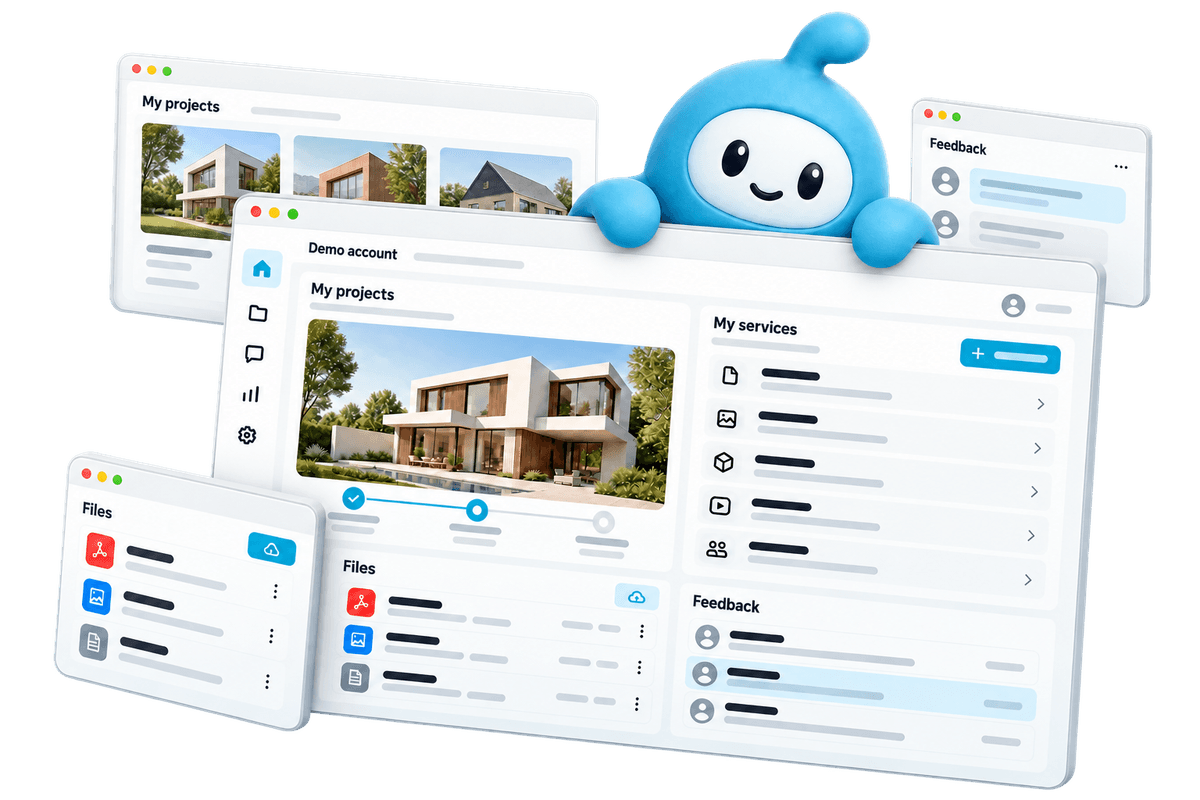
After you order, your project appears in your own dashboard. Follow the progress, share files, give feedback and arrange your next step there.

  • Project and progress
  • Feedback in one place
  • Contact with your team
View the platform
MediaSimpel customer dashboard with project progress, files and feedback

Demo account. Workspaces depend on the services you choose.

From your first choice to your next step.

Choose what you need

View the examples and configure your service. You see what you get and what it costs before you order.

Create together

Share your wishes and material in your dashboard. Follow the work and give feedback there.

Online and beyond

After delivery, request a change or an extra service when your business is ready.

Frequently asked questions

What does a browser extension cost?

From €499 for an extension that takes over one clear action, in your own house style. If you want data to travel with an account, the extension to connect to your own system or to work on many different sites, the price goes up. In the configurator you see your own price update before you commit to anything.

Does my extension have to be in the Chrome Web Store?

No. For internal use you can also roll it out without the store, for example centrally through Google Workspace, so employees do not have to install anything themselves. If you do want it in the store, we handle the submission. The developer account costs a one-off 5 dollars and is registered in your own company's name.

How long does Google's review take?

Usually a few days, sometimes a week. Extensions that request many permissions or want to run on all websites are reviewed more strictly. That is why we keep the number of permissions as small as possible and explain exactly why each permission is needed when we submit.

Does it also work on Edge, Firefox or Safari?

Chrome and Edge run on the same technology, so you get those together. Firefox and Safari work slightly differently and need their own build and test round; you can tick those in the configurator. Safari also requires an Apple developer account of 99 dollars per year.

Can the extension access our own data?

Yes. We connect it to your CRM, ERP or own API, so data flows both ways: fetching it to fill in, or saving what someone finds on a page. If you have no API, we look at which route does work.

Is it safe? Can that extension read everything?

An extension can only do what its permissions allow, and those are visible on the installation screen. We keep it as tight as possible by default: only the sites that are needed, and data stays in the browser unless you explicitly want it to go somewhere.

What if Chrome changes?

Chrome releases an update every few weeks and occasionally changes the rules for extensions. With a maintenance subscription we keep it working and renew the store listing. Without a subscription we do that on request, per hour.

What you can check up front

  • You see the price before you order and put together exactly what you need
  • 14-day cooling-off period on your online order
  • Pay in one go or in 3 instalments at 0%
  • The platform subscription can be cancelled monthly

Mediasimpel

Paganinidreef 54, 2253SJ Voorschoten

KvK 73133477

hello@mediasimpel.nl

See our example websites

Ready to get started?

Configure your browser extension (Chrome & Edge), see the price before you order and follow the work in your dashboard.

Browser extension (Chrome & Edge) from €499 excl. VAT

Quote
Want to know the cost?
Request a no-obligation quote
Customer support
Need help?
Find answers to your questions
Packages
Get everything in one go?
Explore the packages