The work order is done before the van drives off
Planning, work orders, materials and signature on your technician's phone. The administration no longer has to retype anything.
Transparent pricing · Quick to arrange · Personal contact
- Planning board per day and per week, with dragging between technicians
- Assignment on the technician's phone or tablet, can also be filled in without signal
- Digital work order with hours, materials, actions performed and remarks
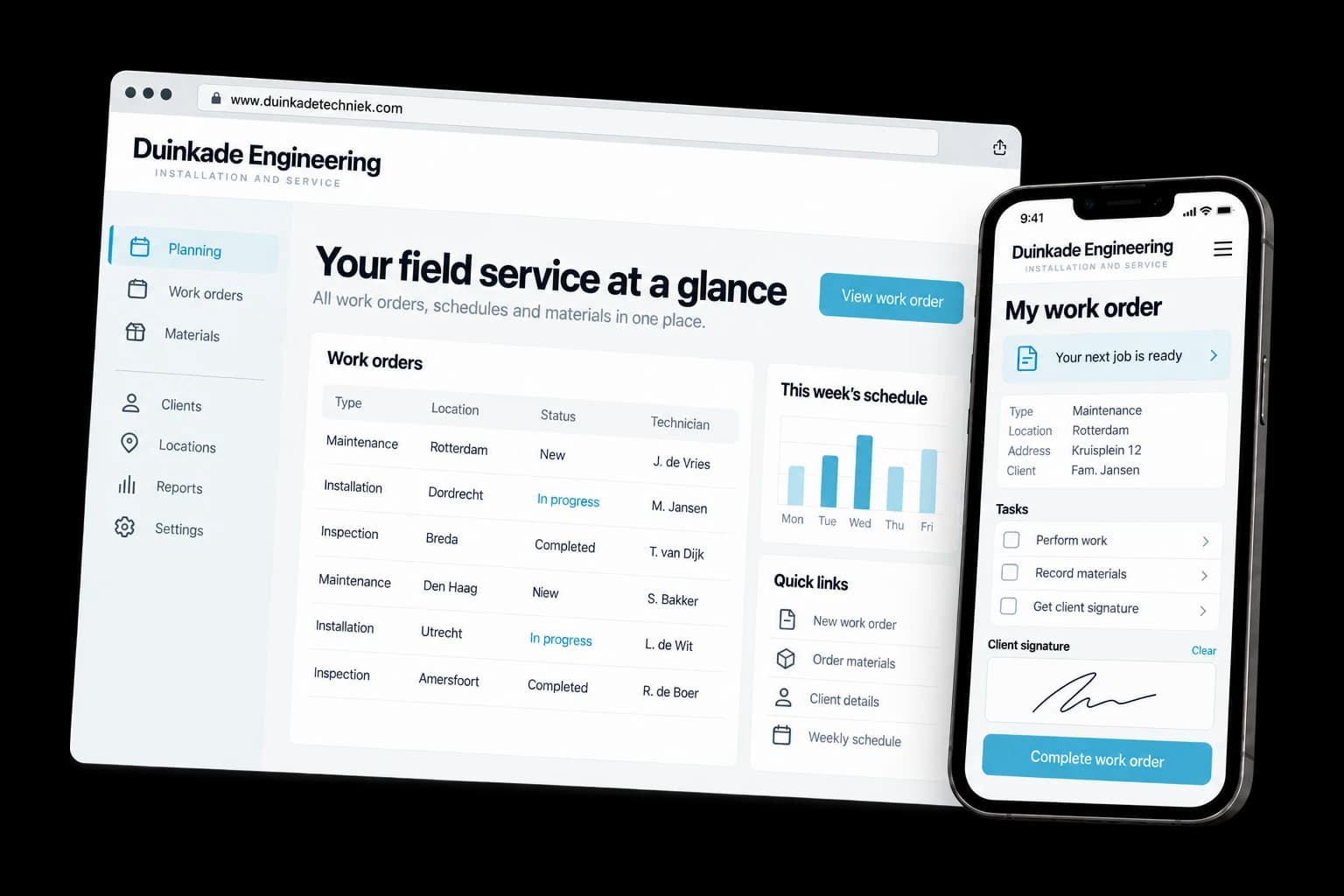
Fictional design example
- The administration no longer retypes anything
What the technician fills in is in the system right away. Hours, materials, photos and signature are attached to the assignment and go straight through to invoicing.
- You can give a customer a time
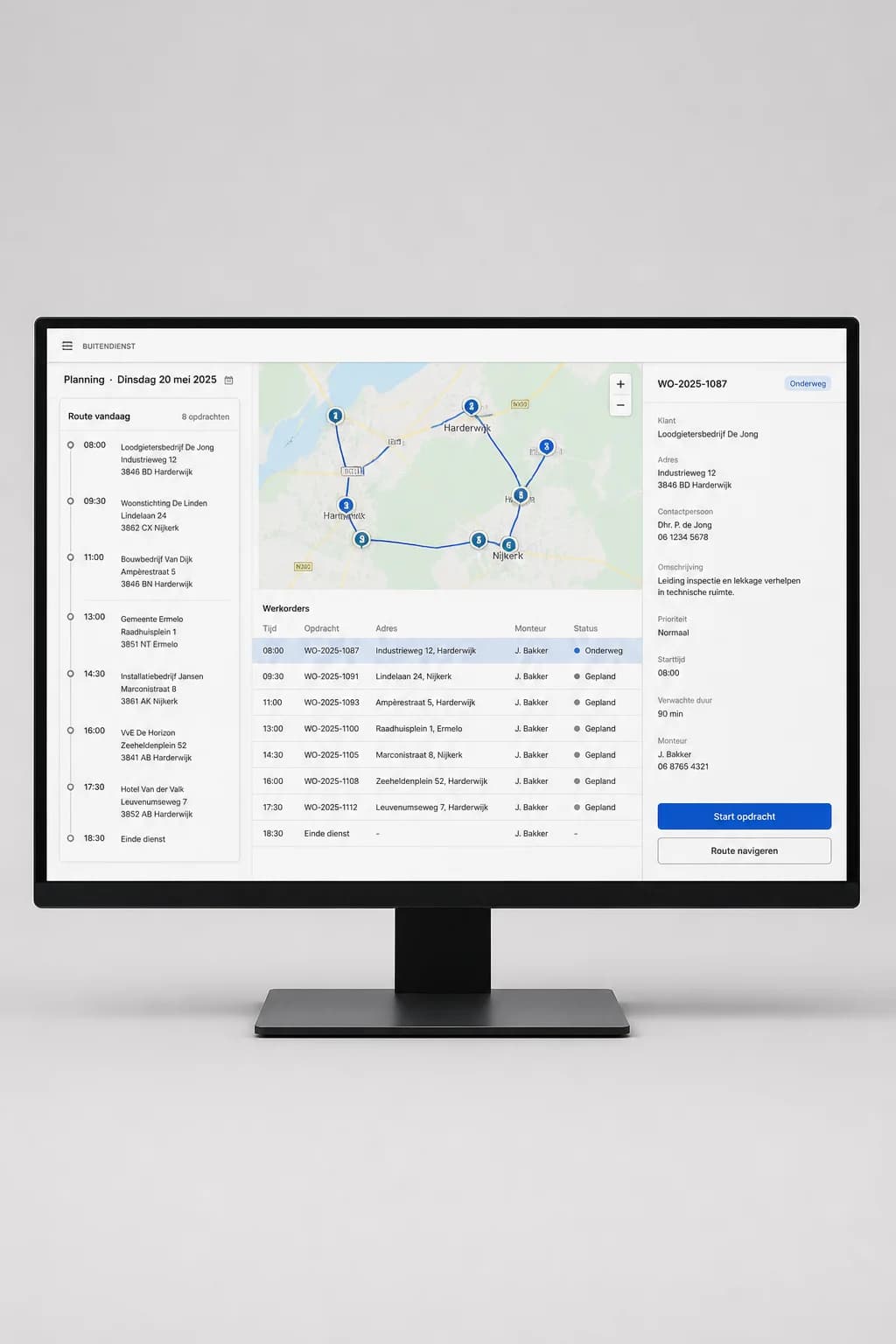
The planner sees where everyone is and how the day is going. If someone calls with an emergency, you see right away who is nearby and what that does to the rest of the planning.
- Invoice faster
A job finished on Friday can be on the invoice on Monday. That saves weeks in your cash flow and it saves arguments, because the customer signed on the spot.
See what your customers will see.
A working example you open and click through yourself. We build your version in your own style.
The administration no longer retypes anything
What the technician fills in is in the system right away. Hours, materials, photos and signature are attached to the assignment and go straight through to invoicing.
You can give a customer a time
The planner sees where everyone is and how the day is going. If someone calls with an emergency, you see right away who is nearby and what that does to the rest of the planning.
Invoice faster
A job finished on Friday can be on the invoice on Monday. That saves weeks in your cash flow and it saves arguments, because the customer signed on the spot.
Materials add up again
The technician ticks off what they used from the van. Your stock list stays up to date and at the end of the month you see what was really used instead of what someone thought.
Maintenance contracts run by themselves
Contracts with periodic services put themselves on the planning. Going through a list once a year to see whose turn it was is no longer necessary.
Design example with fictional content. The components you choose determine the final result.
Examples of field service platform
Browse possible designs and applications. Open an image to take a closer look.
Scannen en registreren op mobiel
De werkbon naast de klus

What can this service do for you?
At an installation company with twelve vans it usually goes like this. In the morning the technician takes a stack of paper work orders, fills them in on their knees in the meter cupboard and hands them in at the end of the week. The administration retypes them, deciphers which materials were used and invoices two weeks after the job. Meanwhile a customer calls to ask what time someone is coming, and nobody can say.
A field service platform brings that whole chain into one system. The planner sees who is where, the technician gets the assignment on their phone, fills in on the spot what they did and what was used, has the customer sign on the screen and closes it. The work order is at the office before they arrive at the next job.
Everything taken care of.
- Planning board per day and per week, with dragging between technicians
- Assignment on the technician's phone or tablet, can also be filled in without signal
- Digital work order with hours, materials, actions performed and remarks
- Before and after photos, linked directly to the assignment
- Customer signature on the screen, with the work order emailed to the customer
- Stock per van, with write-off on use and an order list
- Maintenance contracts that schedule new services themselves
- Fault reports from the customer, with urgency and agreed response time
- Travel times and kilometres per assignment
- Pass through to invoicing, per job or collected per month
- Overview per technician: hours worked, completed jobs, open work orders
- Checklists per type of work, so an inspection or hand-over is recorded completely
Your project and our team. Always close by.
After you order, your project appears in your own dashboard. Follow the progress, share files, give feedback and arrange your next step there.
- Project and progress
- Feedback in one place
- Contact with your team
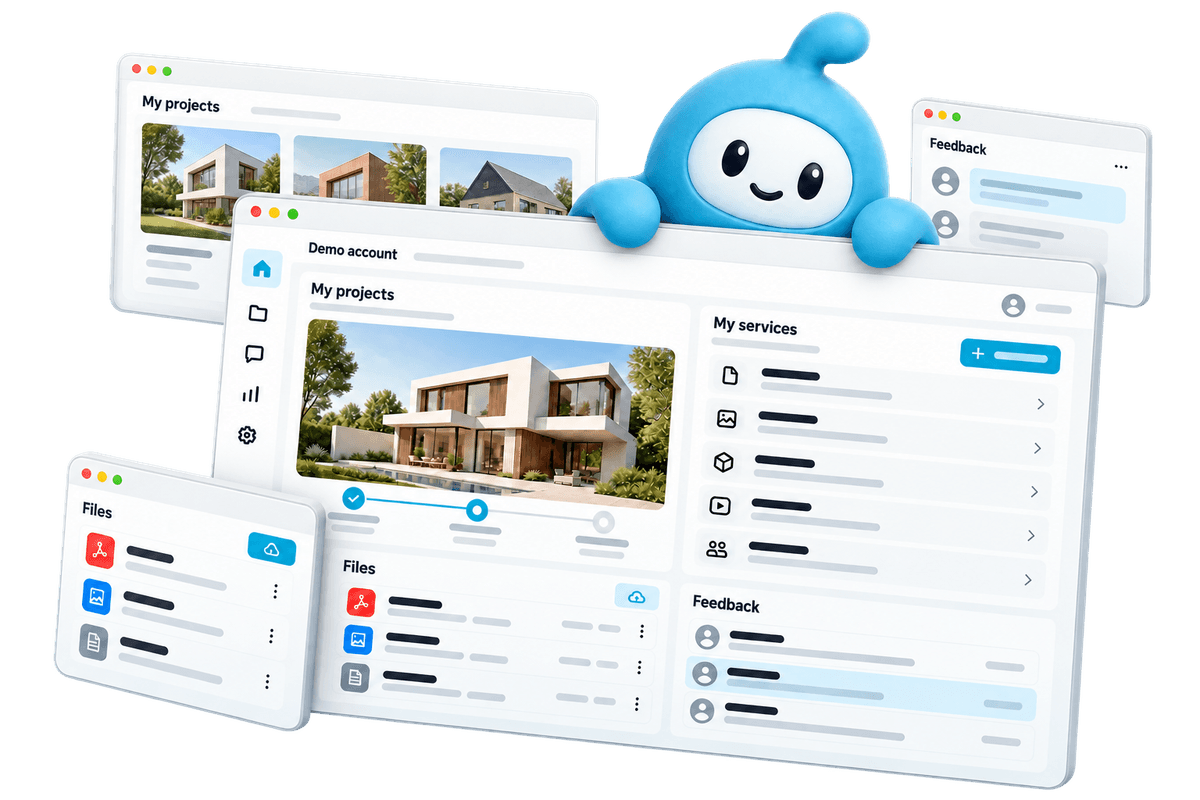
Demo account. Workspaces depend on the services you choose.
From your first choice to your next step.
Choose what you need
View the examples and configure your service. You see what you get and what it costs before you order.
Create together
Share your wishes and material in your dashboard. Follow the work and give feedback there.
Online and beyond
After delivery, request a change or an extra service when your business is ready.
Frequently asked questions
What does a field service platform cost?
On request. A platform for eight technicians with planning and work orders is a different project from an environment with contract management, stock per van and an integration with your accounting. After an intake and a day of shadowing you get a design with a price per phase.
Does the app also work without signal?
Yes, and in this kind of project that is a hard requirement. A technician regularly stands in a basement or a technical room without signal. The app stores everything on the device and sends it through as soon as there is a connection again. The technician does not notice any of it.
How long before the technicians work with it?
Count on three to five months for a first version with planning and work orders. We start with one team or one type of work, let that run for a few weeks and adjust what turns out not to work in practice. Then the rest goes on.
Can we connect it to our accounting package?
Usually, yes. Completed work orders then become a draft invoice that you still check before it goes out. An integration with your time processing for payroll is also common. Which packages you use we ask in the intake.
Our technicians are not computer people. Will they use this?
The project stands or falls with that. The screens they see have big buttons, as few fields as possible and no dropdowns with thirty options. We have a few technicians look along during the build and give the instruction at the premises instead of by email. In practice most are won over after a week, mainly because the paperwork on Friday afternoon disappears.
Who owns the software and who owns the data?
Both are yours. You get the source code, the servers sit on an account in your name and there is no price per technician per month. If you grow from ten to thirty vans, your licence costs do not change, because there are none.
Can we add things later, such as a customer portal?
Yes. Many companies add a portal after a year where the customer finds their own work orders and contracts, or a module for inspections. Because the assignments and the customer data are already in the system by then, such an extension is an addition and not a renovation.
What you can check up front
- You see the price before you order and put together exactly what you need
- 14-day cooling-off period on your online order
- Pay in one go or in 3 instalments at 0%
- The platform subscription can be cancelled monthly
Ready to get started?
Configure your field service platform, see the price before you order and follow the work in your dashboard.