The manual work between your systems goes away
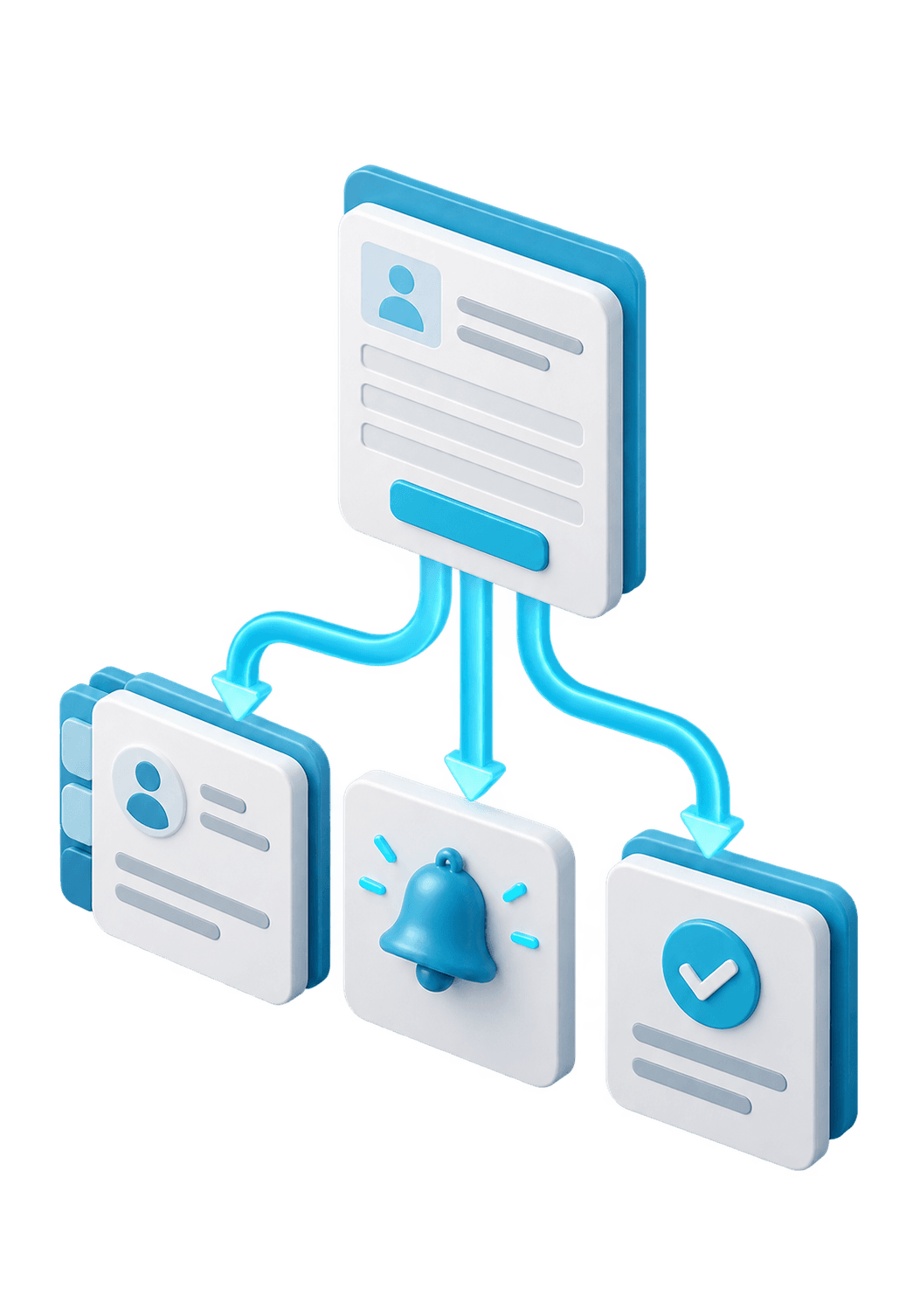
We connect your form, mailbox, CRM, calendar and accounting, so a new enquiry automatically becomes a confirmation, a task and a line in your administration.
From €299 excl. VAT · price shown before you order
- Integration between form, mailbox, CRM, calendar and accounting
- Trigger of your choice: new form, paid order, status change or fixed time
- Automatic confirmation to the customer and task for the right employee
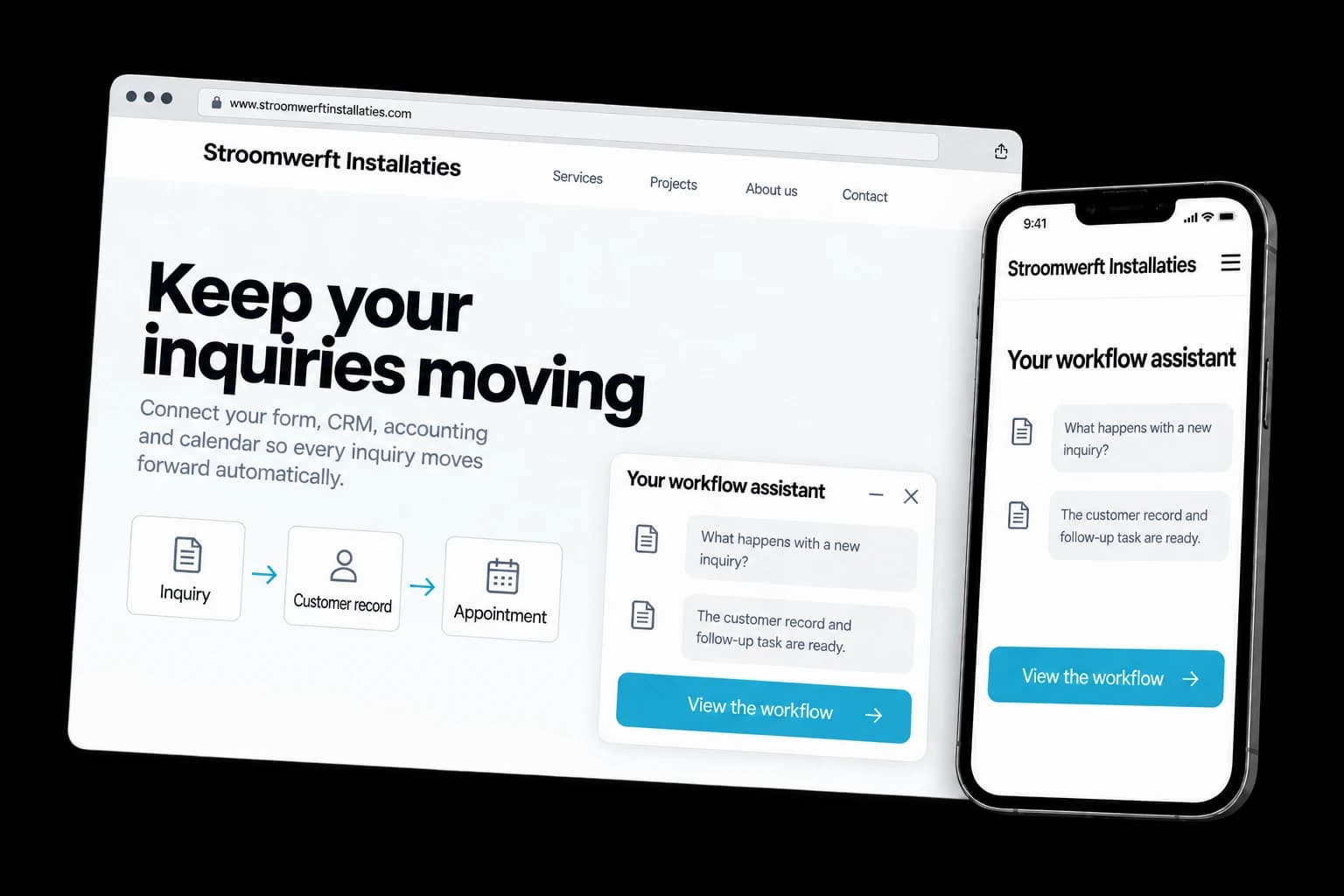
Fictional design example
- We start with your biggest time waster
First we count which action comes back most often and how often that happens per week. We automate that step first, so you notice the difference right away.
- Error handling is included
If an email address is missing or a system does not respond, the flow stops and you get an alert. Failed actions do not silently disappear into a log.
- One system is leading
Per data item we define which system holds the correct value, so your CRM and your accounting do not overwrite each other. We match on a unique attribute, so existing customers are updated instead of duplicated.
This is what it looks like when it is done.
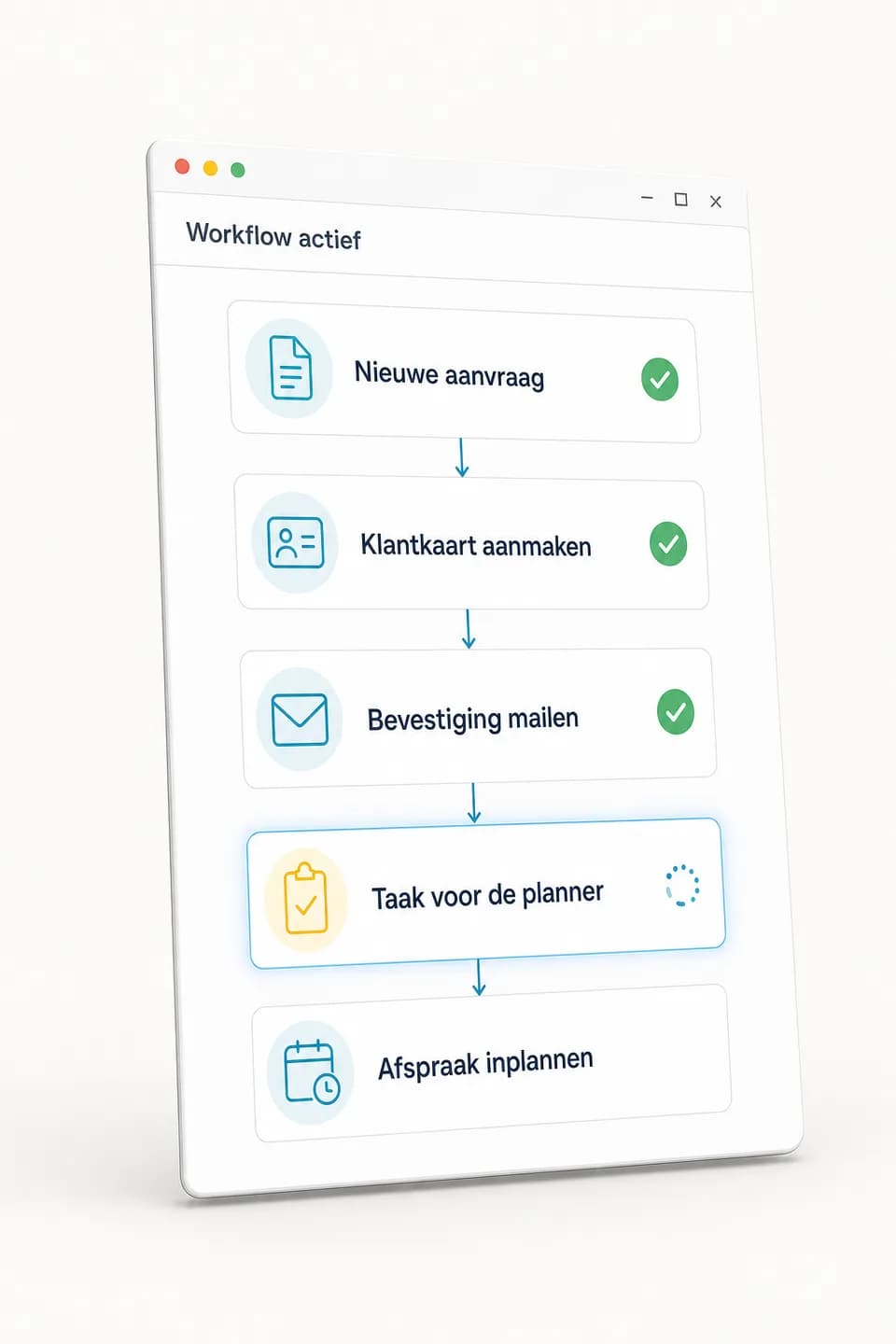
Below you see how one incoming enquiry runs through the steps, from confirmation to task and invoice line.
We start with your biggest time waster
First we count which action comes back most often and how often that happens per week. We automate that step first, so you notice the difference right away.
Error handling is included
If an email address is missing or a system does not respond, the flow stops and you get an alert. Failed actions do not silently disappear into a log.
One system is leading
Per data item we define which system holds the correct value, so your CRM and your accounting do not overwrite each other. We match on a unique attribute, so existing customers are updated instead of duplicated.
The accounts stay yours
The workflows run on your own Make, Zapier or system accounts, with access you can revoke yourself. If the collaboration ends, everything stays in place and keeps working.
Expandable per process
Once the first workflow works, we attach the next one. You do not have to turn your business upside down all at once to start.
Design example with fictional content. The components you choose determine the final result.
Examples of workflow automation
Browse possible designs and applications. Open an image to take a closer look.
Een automatische melding
Zicht op de verwerking
What can this service do for you?
An enquiry comes in through your site. Someone copies the details to the CRM, sends a confirmation, puts a task in the calendar and later makes the invoice. Four actions that come back every week and that nobody adds anything to.
We build that chain once, in Make, Zapier or as a custom integration on your systems' APIs, so it then runs by itself. You get a working workflow, a diagram of what happens when, and error handling that warns you when something gets stuck. Before going live we run it with your own data, so you see exactly what ends up in your CRM and your accounting.
Everything taken care of.
- Integration between form, mailbox, CRM, calendar and accounting
- Trigger of your choice: new form, paid order, status change or fixed time
- Automatic confirmation to the customer and task for the right employee
- Data synchronisation with a fixed field mapping per system
- Deduplication on email address, order number or customer number
- Error handling with alert, retry and a stop on missing data
- Periodic report or signal through email, Teams or Slack
- Test round with your own data before the flow goes live
- Diagram and documentation of every step, so you see what happens
- Built in Make, Zapier or as a custom integration on your API
- Runs on your own accounts and access keys
- Optional ongoing management with monitoring from €49 per month
Press play and watch what happens by itself
Three workflows from fictional businesses, exactly as we build them for clients. Switch steps on or off and play the whole chain. Everything you see happen used to be done by someone by hand.
Workflow for
Van Dijk Installation Services
The trigger: Sanne de Groot requests a quote for a heat pump via the website.
Enquiry comes in
Website form received from Sanne de Groot (heat pump, Zwolle).
Customer record created
Sanne is in the CRM, with her enquiry and town attached.
Confirmation emailed
“Thanks Sanne, we will call you tomorrow before 12:00” has been sent.
WhatsApp confirmation
The same confirmation via WhatsApp too, because that is where she already is.
Task for the planner
Task “Call Sanne about heat pump” is waiting for Ruben tomorrow morning.
Call scheduled
Tomorrow at 09:30 there is a call slot in Ruben's diary.
Log
waiting times sped upNothing has happened yet. Press Play and this log keeps up with every step.
What this saves
This one workflow replaces around 14 minutes of manual work, every time it runs. At ten enquiries a week that is already 2.3 hours a week you get back.
One integration from €299 excl. VAT. We start with the task that comes back most often.
Your project and our team. Always close by.
After you order, your project appears in your own dashboard. Follow the progress, share files, give feedback and arrange your next step there.
- Project and progress
- Feedback in one place
- Contact with your team
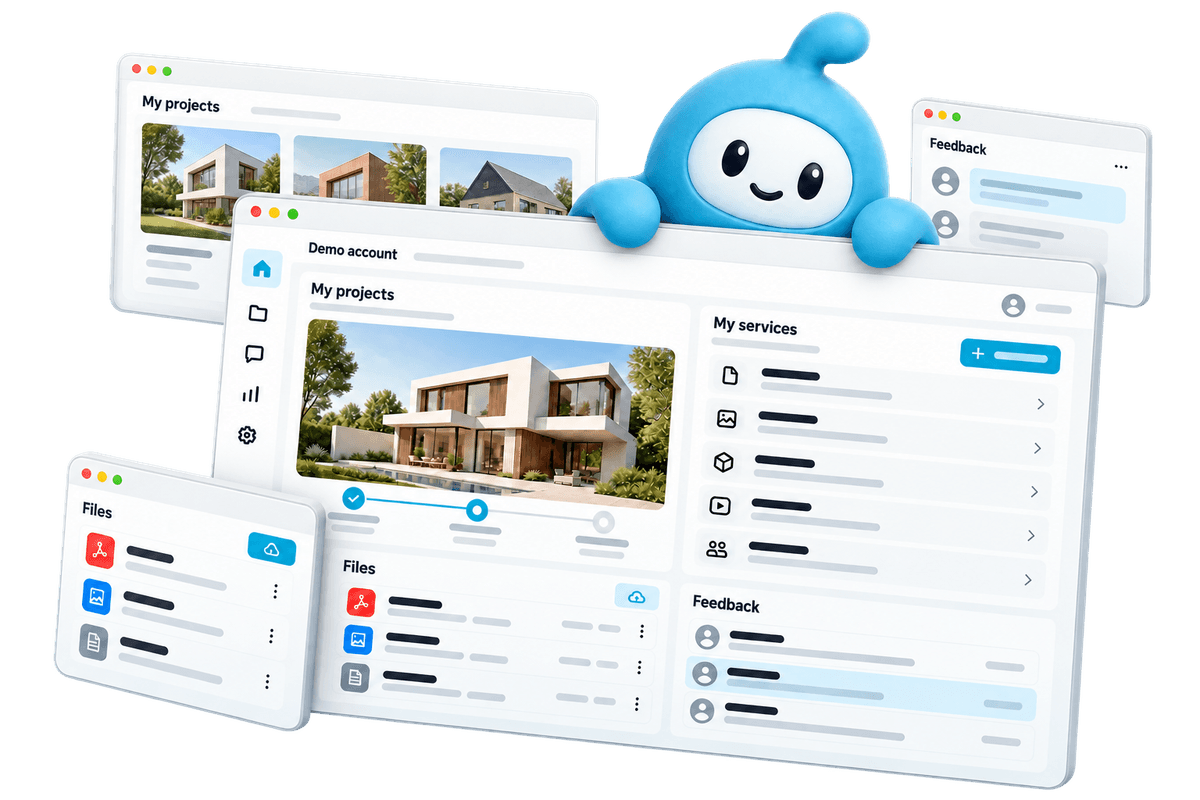
Demo account. Workspaces depend on the services you choose.
From your first choice to your next step.
Choose what you need
View the examples and configure your service. You see what you get and what it costs before you order.
Create together
Share your wishes and material in your dashboard. Follow the work and give feedback there.
Online and beyond
After delivery, request a change or an extra service when your business is ready.
Frequently asked questions
What does workflow automation cost?
One workflow with up to two connected tools starts at €299, including test and delivery. The Plus package of €699 covers up to three workflows, with error handling and documentation. If you want unlimited workflows, custom integrations and a dashboard, that is Pro for €1.299, including three months of maintenance. Ongoing management with monitoring then costs €49 per month and is optional.
Which systems can you connect?
Most often we see email (Gmail, Outlook), CRMs (HubSpot, Pipedrive, Teamleader), accounting packages (Moneybird, Exact, e-Boekhouden), webshops (Shopify, WooCommerce, Lightspeed), calendars and spreadsheets. If your system has an API or can send a webhook, there is usually something to build. When configuring we ask per tool which package you use exactly, because that determines whether a ready-made integration exists or whether we write it ourselves.
Where do I best start?
With the action that comes back most often or is most error-prone. For a week, write down what you retype and how often. Almost always one chain comes out of that which passes by dozens of times a month, and we tackle that first. A big plan is not needed to start.
Do I also pay for Make or Zapier?
That licence runs through your own account and you pay it directly to the supplier. Both charge per executed step or task, so with larger volumes the monthly costs go up. If you run thousands of actions per month, we look at whether a custom integration directly on the APIs works out cheaper. That is why we ask when configuring how many actions you expect per month.
What happens if an integration stalls?
That should not be a surprise. Per workflow we agree what should happen with unexpected data: with a missing field the flow stops, instead of sending half an invoice or an empty confirmation. An alert then goes to you or to the colleague in charge, and where it makes sense the flow tries again later. If you choose management, those alerts also come to us and we fix it.
How do you prevent duplicate customers or duplicate invoices?
We match on a unique attribute such as email address, order number or customer number, and define which system is leading. If the customer already exists, the flow updates the existing record. We also make sure the same event is not processed twice if a system passes it on again. We test that before going live on records that are already in your system.
What happens to my data?
Your data stays in your own systems; the workflow only moves it from A to B. We work with access on your accounts, which you can revoke at any time. Which fields exactly are passed on is in the documentation you get at delivery. Personal data we only include when the workflow really needs it.
How long before a workflow runs?
As soon as we have access to the systems and the process is clear, building one integration goes quickly. Most time goes to the exceptions: what should happen if a field is empty, a payment fails or the same customer orders twice. We ask those questions in the configurator, so we do not come to a halt halfway. With larger packages we deliver per workflow, so the first one already runs while we work on the next.
What you can check up front
- You see the price before you order and put together exactly what you need
- 14-day cooling-off period on your online order
- Pay in one go or in 3 instalments at 0%
- The platform subscription can be cancelled monthly
Ready to get started?
Configure your workflow automation, see the price before you order and follow the work in your dashboard.
Workflow automation from €299 excl. VAT